Works with · Home energy monitor · Beta

Charge your EV on excess solar with Sense

If your inverter can't tell SundialEV what's flowing to the grid, a Sense monitor can. SundialEV reads Sense's grid reading — and solar production if your Sense has solar CTs — so charging tracks your real surplus.

Four steps, no new hardware

  1. Choose Sense
    In Grid setup, choose Sense (Beta).
  2. Sign in
    Use your Sense email and password. Accounts with two-factor authentication can't connect yet.
  3. Keep your inverter for production (optional)
    If Sense has no solar CTs, keep your inverter connected for production; Sense supplies the grid leg.
  4. Connect your car or charger, and plug in
    A Tesla directly, or any EV through a Wallbox Pulsar Plus or Emporia charger.
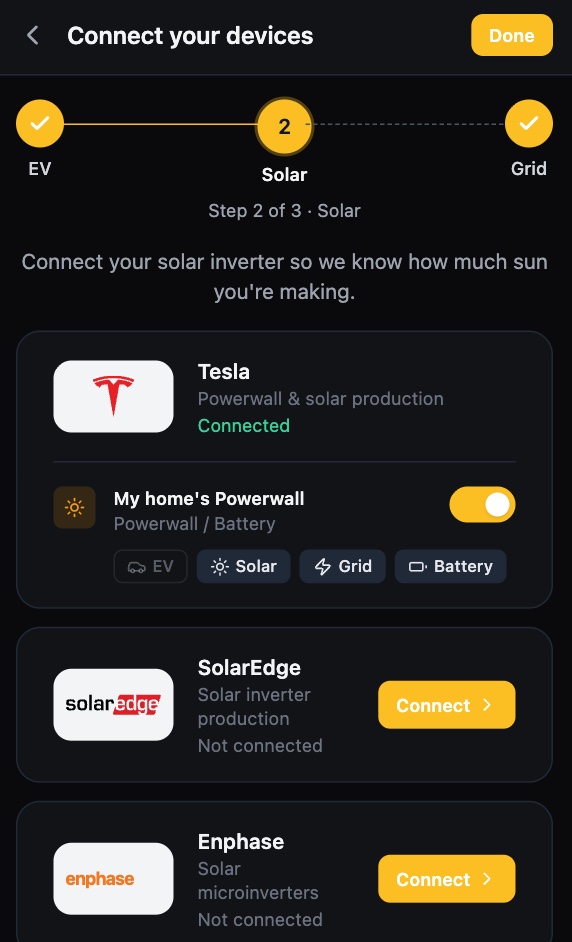
SundialEV device setup, solar step: Tesla Powerwall connected, SolarEdge and Enphase ready to connect
The solar step of setup
SundialEV dashboard: the car charging on solar with live solar, battery, home, grid and car power
Charging on surplus, live

What Sense gives SundialEV, and its limits

Provides

  • Grid import/export
  • Solar production (with Sense solar CTs)

Known limits

  • Beta. Sense has no official third-party API; SundialEV uses the same connection the Sense app does, which Sense could change.
  • Two-factor authentication must be off on the Sense account.
  • Readings refresh about every five minutes.

What would charging on surplus save you?

Enter your zip and the calculator uses your utility's real rates.

Frequently asked questions

Why would I add Sense?
Many SolarEdge, Enphase, Solis and Growatt systems report production but not grid flow. Sense fills in the grid leg, so SundialEV charges from measured surplus instead of an estimate.
Does it need solar CTs?
Not for the grid reading. With solar CTs, Sense can supply production too.
Can I use two-factor authentication?
Not yet — SundialEV can't sign in to a Sense account with 2FA on.

Put your surplus in the car

Connect Sense in a few minutes.