Works with · Home energy monitor

Charge your EV on excess solar with Emporia Vue

An Emporia Vue gives SundialEV the grid reading many inverters lack, from the CTs on your mains — and solar production too, if a CT sits on your solar circuit.

Four steps, no new hardware

  1. Choose Emporia Vue
    In Grid setup, choose Emporia Vue.
  2. Sign in with your Emporia email and password
    Google or Apple sign-in accounts can't connect; an email-and-password Emporia account can.
  3. Name your solar circuit
    If a CT is on your solar circuit, make sure its name in the Emporia app includes "solar", "PV" or "inverter" so SundialEV picks it up.
  4. Connect your car or charger, and plug in
    A Tesla directly, or any EV through a Wallbox Pulsar Plus or Emporia charger.
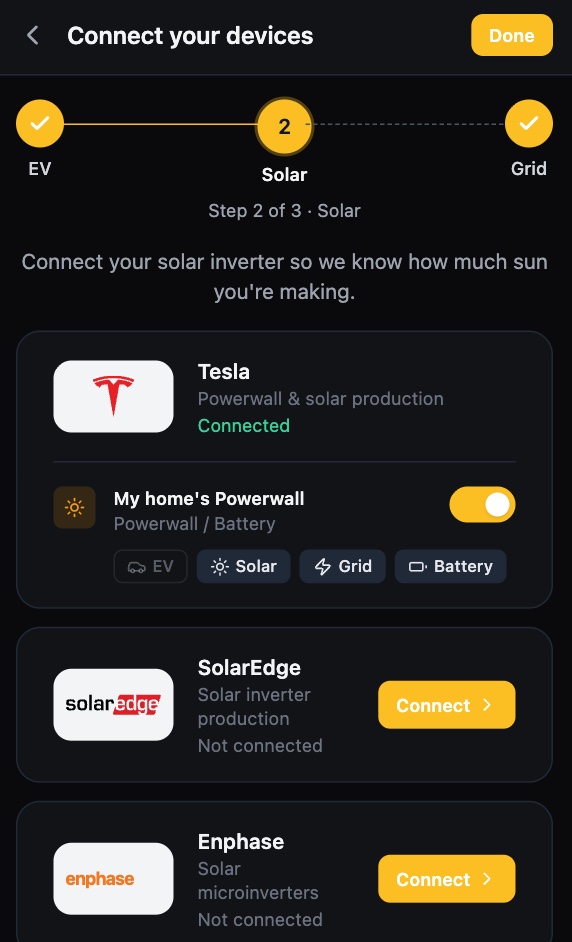
SundialEV device setup, solar step: Tesla Powerwall connected, SolarEdge and Enphase ready to connect
The solar step of setup
SundialEV dashboard: the car charging on solar with live solar, battery, home, grid and car power
Charging on surplus, live

What Emporia Vue gives SundialEV, and its limits

Provides

  • Grid import/export (mains CTs)
  • Solar production (a CT on the solar circuit)

Known limits

  • Solar is read only from a circuit whose name includes solar, PV, inverter, generation or panels.
  • Needs an email-and-password Emporia account.
  • Readings refresh about every five minutes.

What would charging on surplus save you?

Enter your zip and the calculator uses your utility's real rates.

Frequently asked questions

Do I need a CT on my solar circuit?
Not for the grid reading. With one, the Vue can supply production too, so you don't need an inverter connection at all.
Does it work with the Emporia EV charger?
Yes — one Emporia login covers both. See the Emporia charger page.
Which cars work?
Teslas directly, and any EV through a Wallbox Pulsar Plus or Emporia charger.

Put your surplus in the car

Connect Emporia Vue in a few minutes.