Works with · Solar & battery

Charge your EV on excess solar with Growatt

SundialEV reads your Growatt inverter through Growatt's official API. MIN/TLX and MAX inverters provide production; SPH/MIX hybrids can also provide grid and battery.

Four steps, no new hardware

  1. Get your API token
    In the ShinePhone app, find your API token (you'll also need your Growatt username).
  2. Enter your details
    In SundialEV's Solar setup, choose Growatt and enter your username and token.
  3. Confirm your inverter
    On SPH/MIX hybrids, turn on grid and battery readings.
  4. Connect your car or charger, and plug in
    A Tesla directly, or any EV through a Wallbox Pulsar Plus or Emporia charger.
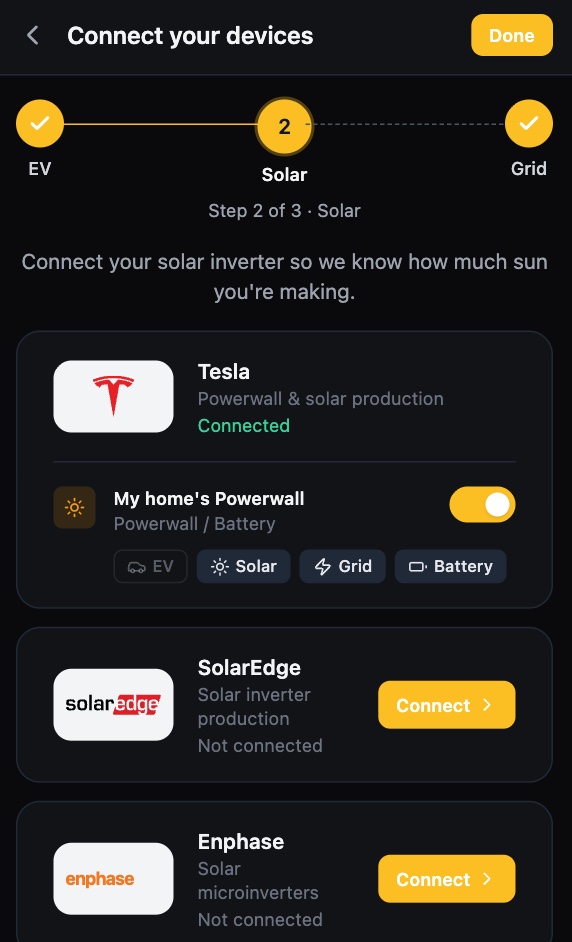
SundialEV device setup, solar step: Tesla Powerwall connected, SolarEdge and Enphase ready to connect
The solar step of setup
SundialEV dashboard: the car charging on solar with live solar, battery, home, grid and car power
Charging on surplus, live

What Growatt gives SundialEV, and its limits

Provides

  • Solar production (MIN/TLX, MAX, SPH/MIX)
  • Grid and battery (SPH/MIX hybrids)

Known limits

  • MAX and MIN/TLX inverters report production only — pair with a home energy monitor for a grid reading, or SundialEV estimates surplus from production minus your baseline use.
  • MOD, Noah and SPA models aren't supported yet.
  • Readings refresh about every five minutes.

What would charging on surplus save you?

Enter your zip and the calculator uses your utility's real rates.

Frequently asked questions

Which Growatt models work?
MIN/TLX, MAX and SPH/MIX. MOD, Noah and SPA aren't supported yet.
My Growatt only shows production — is that enough?
Yes. SundialEV estimates surplus from production minus your baseline use; an Emporia Vue or Sense adds a real grid reading.
Which cars work?
Teslas directly, and any EV through a Wallbox Pulsar Plus or Emporia charger.

Put your surplus in the car

Connect Growatt in a few minutes.