Works with · Solar & battery

Charge your EV on excess solar with Solis

SundialEV reads your Solis inverter through the SolisCloud API: production on every model, and grid and battery on hybrid inverters that report them.

Four steps, no new hardware

  1. Request SolisCloud API access
    In SolisCloud, request API access. Solis usually activates it within one to two days and gives you a Key ID and Key Secret.
  2. Enter your keys
    In SundialEV's Solar setup, choose Solis and paste the Key ID and Key Secret.
  3. Confirm your station
    SundialEV offers grid and battery readings when your inverter reports them.
  4. Connect your car or charger, and plug in
    A Tesla directly, or any EV through a Wallbox Pulsar Plus or Emporia charger.
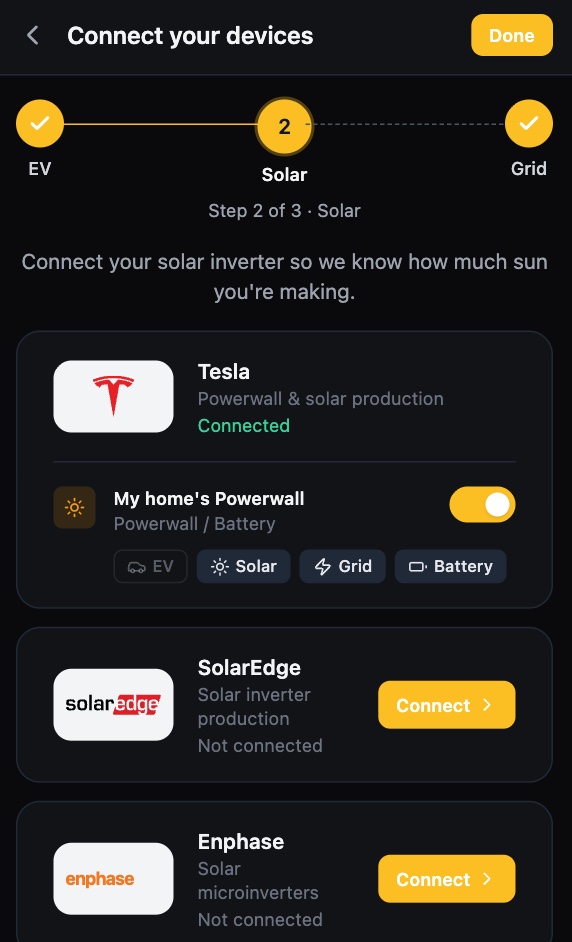
SundialEV device setup, solar step: Tesla Powerwall connected, SolarEdge and Enphase ready to connect
The solar step of setup
SundialEV dashboard: the car charging on solar with live solar, battery, home, grid and car power
Charging on surplus, live

What Solis gives SundialEV, and its limits

Provides

  • Solar production
  • Grid import/export (hybrid inverters)
  • Battery power and charge level (hybrid inverters)

Known limits

  • API access has to be requested from Solis first (one to two days).
  • Grid-tie (non-hybrid) inverters report production only; SundialEV estimates surplus from production minus your baseline use, or add a home energy monitor.
  • Readings refresh about every five minutes.

What would charging on surplus save you?

Enter your zip and the calculator uses your utility's real rates.

Frequently asked questions

Why do I need API keys?
SolisCloud only allows third-party apps through its API, which Solis enables per account on request.
Will my grid-tie inverter work?
Yes, for production. For a grid reading, pair it with an Emporia Vue or Sense.
Which cars work?
Teslas directly, and any EV through a Wallbox Pulsar Plus or Emporia charger.

Put your surplus in the car

Connect Solis in a few minutes.